Authentication
OpusDNS supports two ways to authenticate API requests: API keys for direct server-to-server calls, and OAuth tokens for applications that prefer short-lived bearer tokens.
API key authentication
API keys are the simplest way to authenticate. Send your key in the
X-Api-Key header with every request:
GET /v1/domains HTTP/1.1
Host: api.opusdns.com
X-Api-Key: opk_your_full_api_key_here
Or with curl:
curl "$OPUSDNS_API_BASE/v1/domains" \
  --header "X-Api-Key: $OPUSDNS_API_KEY"
Creating an API key
- Open the OpusDNS Dashboard and navigate to API Credentials.
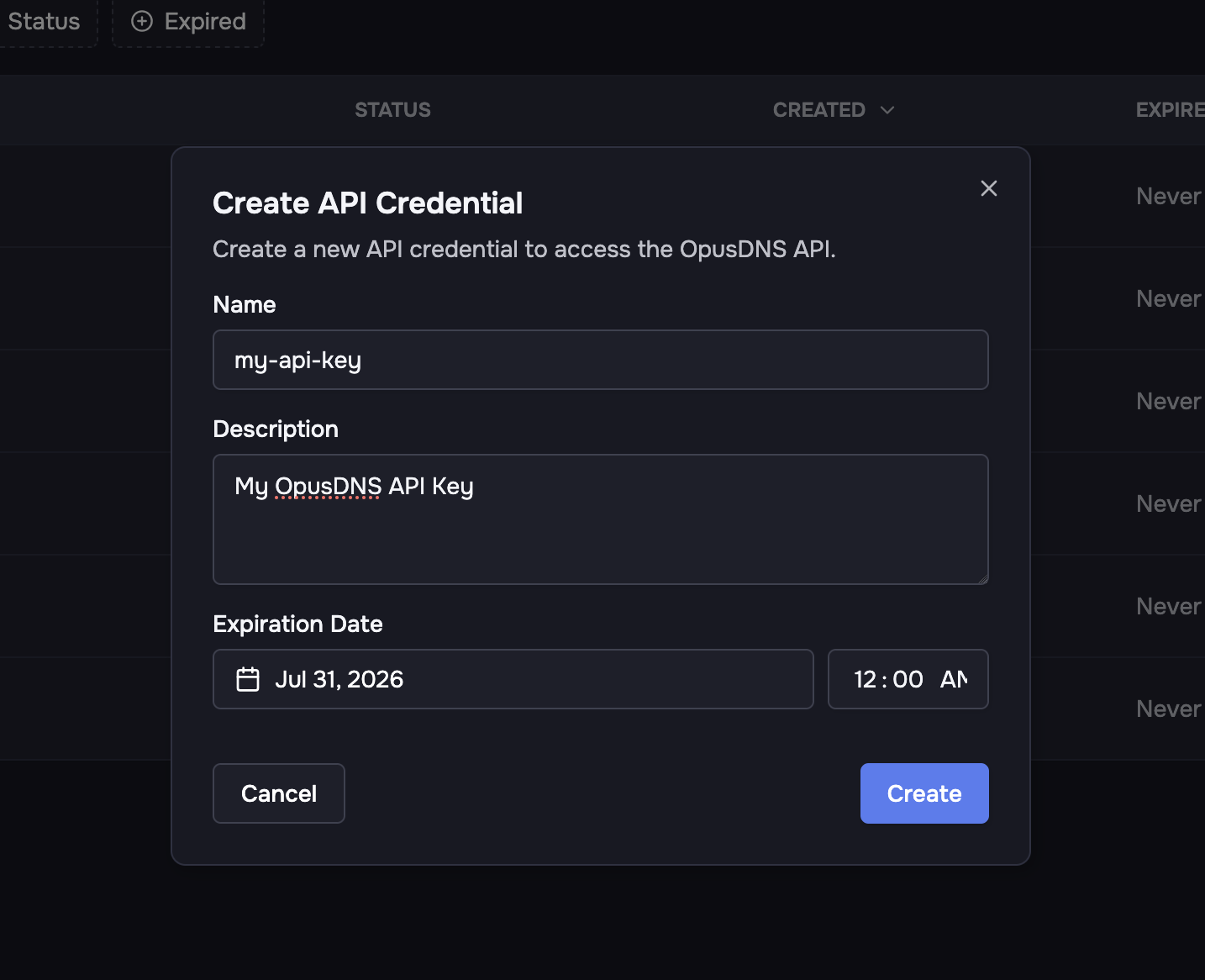
- Click Create API Credential.
- Give the credential a name and description, then choose an expiration date.
-
Select the role that governs what the key can do — a built-in role (such
as
adminorviewer) or one of your organization's custom roles. The role defaults toadmin(full access). See Roles & permissions for what each role grants.
After creation, copy the client ID, API key, and client secret immediately. The API key and client secret are only displayed once — they cannot be retrieved later.
An API key carries its own role, independently of the user who created it. Grant each key the narrowest role it needs — for example, a deployment script that only edits DNS can use a key with the dns_manager role instead of admin.
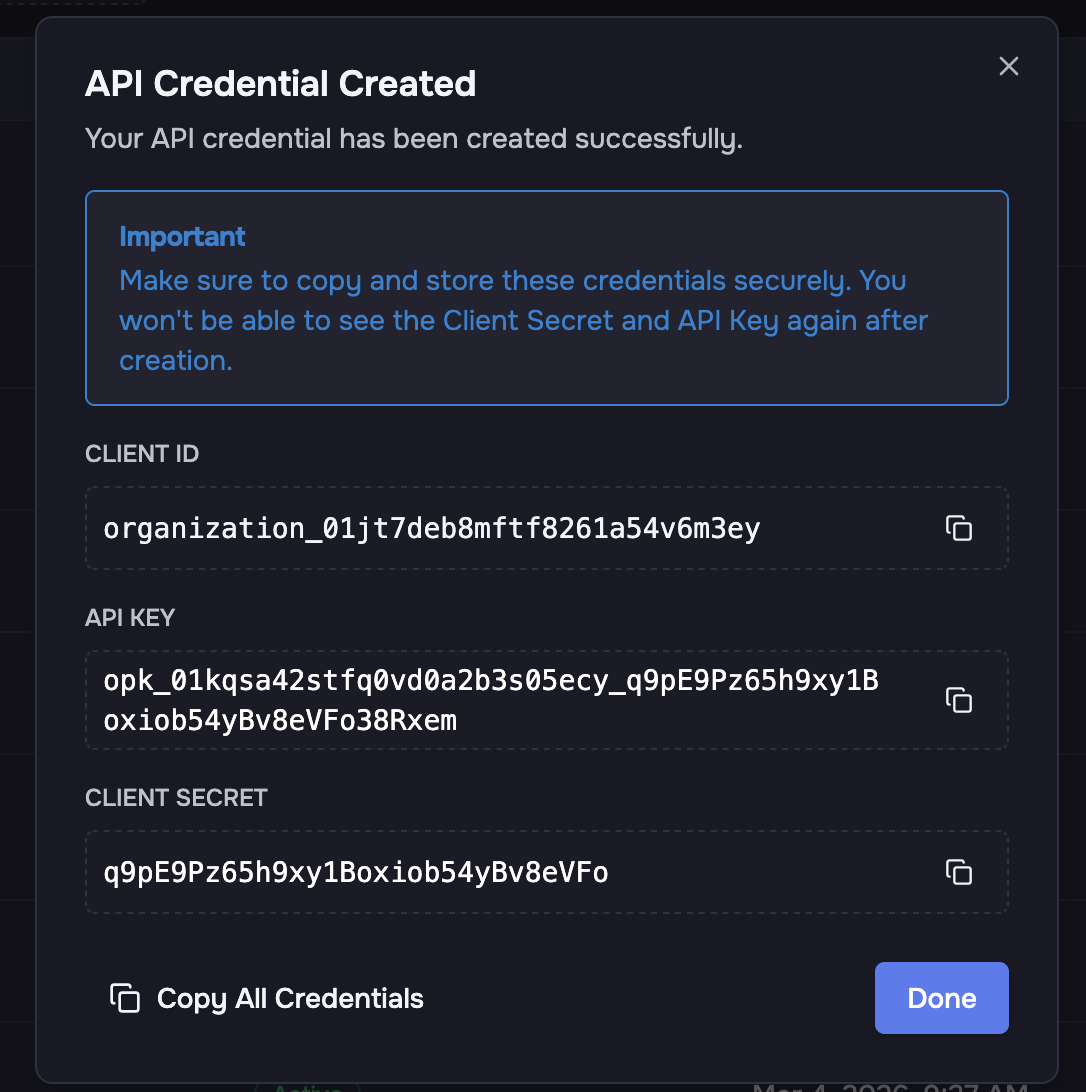
Store credentials in a secrets manager or environment variables. Never commit them to source control. The API key and client secret are shown only once and cannot be retrieved later.
OAuth token authentication
If your platform prefers standard OAuth-style bearer tokens, you can exchange your client credentials for a short-lived access token.
Request a token
The token endpoint accepts both application/x-www-form-urlencoded (per the
OAuth 2.0 spec) and application/json.
Form-encoded:
curl "$OPUSDNS_API_BASE/v1/auth/token" \
  --request POST \
  --header "Content-Type: application/x-www-form-urlencoded" \
  --data "grant_type=client_credentials&client_id=organization_01jxe20q5hf9p4bm3kfz7v0w6t&client_secret=your_client_secret"
JSON:
curl "$OPUSDNS_API_BASE/v1/auth/token" \
  --request POST \
  --header "Content-Type: application/json" \
  --data '{
    "grant_type": "client_credentials",
    "client_id": "organization_01jxe20q5hf9p4bm3kfz7v0w6t",
    "client_secret": "your_client_secret"
  }'
Token response
A successful request returns a bearer token with an expiry:
{
  "access_token": "eyJ...",
  "token_type": "Bearer",
  "expires_in": 3600
}
Use the token
Send the token in the Authorization header:
curl "$OPUSDNS_API_BASE/v1/domains" \
  --header "Authorization: Bearer eyJ..."
When to use OAuth tokens
- Your HTTP tooling expects
Authorization: Bearer ...headers. - You want short-lived tokens instead of sending a long-lived API key on every request.
- Your platform already implements OAuth client credentials flows.
For most server-to-server integrations, API keys are simpler and recommended. Use OAuth tokens when your architecture specifically benefits from short-lived, rotatable credentials.

